
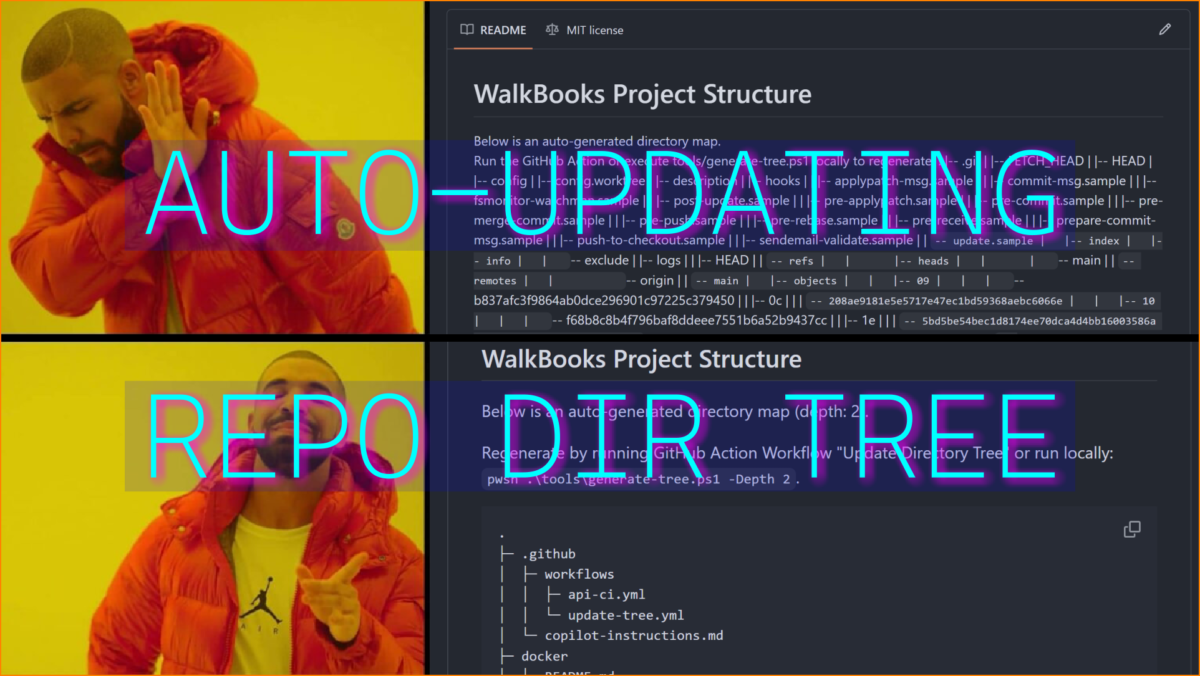
How many GitHub repos have outdated directory tree art?
I’ve seen lots of outdated READMEs. Projects with ASCII art visualizations reflecting a bygone era of an app’s file system. Perhaps developers are sentimental types, always longing for simpler times? But if information is important enough to feature on the main README, shouldn’t it be accurate?
The future is now!
We basically live in The Future, sans flying cars (turns out: we can barely handle ground driving). We can automate tasks now. And make every commit push or PR merge regenerate a repo’s directory tree art. One way to do it is with a GitHub Actions workflow, and the way I do it requires just 2 little files.
What is a GitHub Actions workflow?
It’s a YAML file. For this example, it’s a simple file (update-tree.yml) that calls a shell script file (generate-tree.ps1), which generates and updates the directory tree in the repo’s README.md file.
To create a workflow:
- Either write your YAML file and place it in your repo’s
.github/workflowsfolder, - Or push the “New workflow” button on the Actions tab and write your YAML file in a GitHub text editor, which will then be saved to the
.github/workflowsfolder.

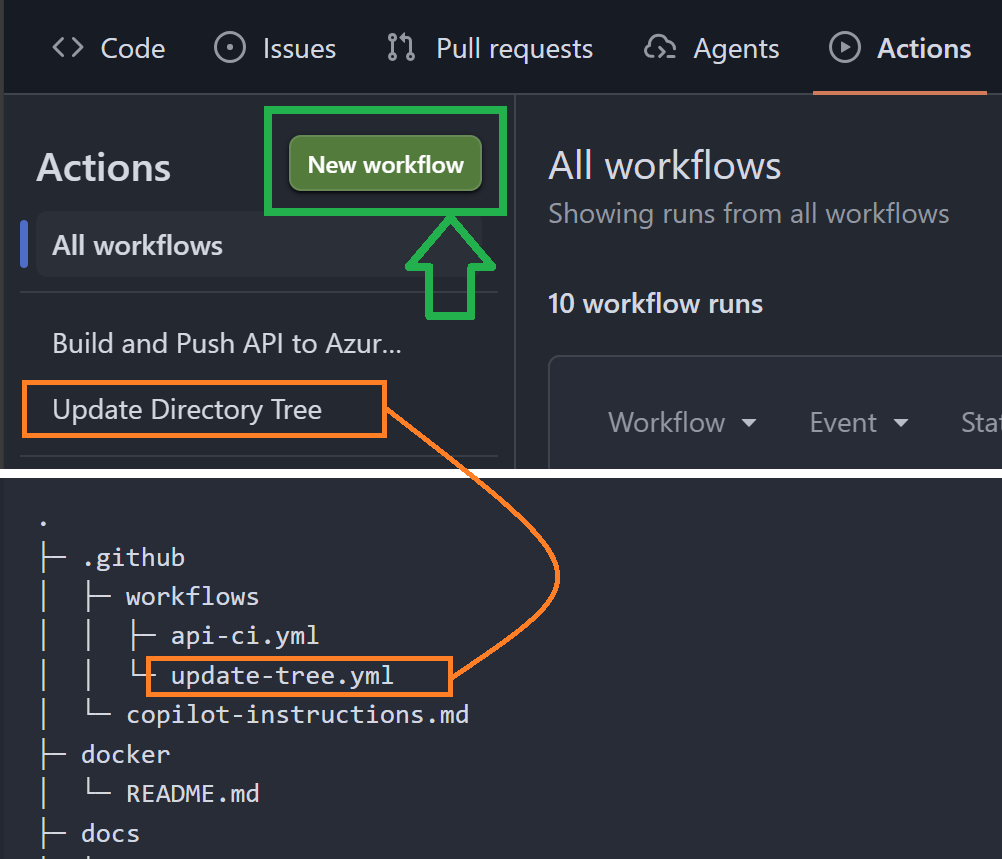
YAML file
This is a simple workflow that permits writing to the README and calling the shell script to create and update the dir tree. Note the triggers section that sets conditions for when the job is to run:
- on commit from a non-bot user,
- on Pull Request merge,
- or manually when the ‘Run workflow’ btn is clicked in GitHub.
# GitHub Actions Workflow
# - Output: Generate & auto-update an ASCII repo directory tree in the README file.
# - Place in path: .github/workflows/update-tree.yml

# Generate ASCII map locally with this command, (run from repo root):
# pwsh .\tools\generate-tree.ps1 -Depth 2

name: Update Directory Tree

on:
  push:
    branches: [main, master]
  pull_request:
    types: [closed]
  workflow_dispatch:

# permission to update README
permissions:
  contents: write

# Conditions that trigger this workflow:
# push: runs for any push to main/master by a non-bot actor.
# pull_request closed: runs only when a PR is closed and merged.
# workflow_dispatch: keeps manual runs available from GitHub Actions UI (btn push).
jobs:
  update-tree:
    if: >
      (github.event_name == 'push' && github.actor != 'github-actions[bot]') ||
      (github.event_name == 'pull_request' && github.event.pull_request.merged == true) ||
      github.event_name == 'workflow_dispatch'
    runs-on: ubuntu-latest

    steps:
      - name: Checkout
        uses: actions/checkout@v4
        with:
          persist-credentials: true

      - name: Run tree generator
        run: pwsh -NoProfile -Command ".\tools\generate-tree.ps1 -Depth 4"

      - name: Commit updated README
        run: |
          git config user.name "github-actions[bot]"
          git config user.email "41898282+github-actions[bot]@users.noreply.github.com"
          git add README.md
          git commit -m "Auto-update directory tree" || echo "No changes to commit"
          git push
PowerShell script
This file first parses the README. If there are no FOOTER or TREE markers (example below), it appends them to the end of README, along with some ‘about’ content. These are required locators, indicating where to insert directory tree info. The ASCII art is then generated into a file named tree.tmp. If the file fails to generate, the script removes the FOOTER section entirely to leave a clean README.
<!--FOOTER-START-->
<!-- TREE-START -->
<!-- TREE-END -->
<!--FOOTER-END--><#
.SYNOPSIS
Generate an ASCII directory tree and inject it into README.md inside a FOOTER block.
.DESCRIPTION
- Generates a compact ASCII tree (├─, └─, │) to a temporary file.
- Replaces the marker region between <!-- TREE-START --> and <!-- TREE-END --> with a fenced code block (no markers left).
- If README lacks the FOOTER block, the script appends a canonical FOOTER (with markers) first.
- On success: replace the entire FOOTER block with the Project Structure header + fenced tree (no markers left).
- On failure: remove the entire FOOTER block (including markers) when RemoveOnFail is true.
.EXAMPLE
- Place in path: tools/generate-tree.ps1
- Temp file: The generated tree is written to a temporary file before being injected into the README.
- Excludes: .git, bin, obj, node_modules, tmp, publish, .vs
- Usage: pwsh .\tools\generate-tree.ps1 -Depth 2
#>
param(
[string]$Path = '.',
[int]$Depth = 4,
[string[]]$Exclude = @('.git','bin','obj','node_modules','tmp','publish','.vs'),
[string[]]$ExcludePaths = @(
'\\Migrations\\2', # exclude timestamped migrations
'\\Migrations\\.*Designer', # exclude designer files
'\\Web\\dist', # exclude built frontend
'\\Api\\logs' # exclude API logs
),
[string]$TmpFile = 'tree.tmp',
[string]$ReadmeFile = 'README.md',
[switch]$RemoveOnFail
)
# default RemoveOnFail to true unless explicitly provided
if (-not $PSBoundParameters.ContainsKey('RemoveOnFail')) { $RemoveOnFail = $true }
function Write-Tree {
param($Path, $Prefix = '', $Level = 0, $OutFile)
if ($Level -gt $Depth) { return }
$items = Get-ChildItem -LiteralPath $Path -Force -ErrorAction SilentlyContinue |
Where-Object {
$file = $_
# exclude exact names (folders/files)
if ($Exclude -contains $file.Name) { return $false }
# exclude if any pattern in $ExcludePaths matches file's full path
$matchesPattern = $false
foreach ($pattern in $ExcludePaths) {
# match both forward & back slashes to be OS file system agnostic
$regex = ($pattern -replace '\\\\', '[\\/]')
if ($file.FullName -match $regex) {
$matchesPattern = $true
break
}
}
-not $matchesPattern
} |
Sort-Object -Property @{ Expression = { -not $_.PSIsContainer } }, @{ Expression = { $_.Name } }
for ($i = 0; $i -lt $items.Count; $i++) {
$item = $items[$i]
$isLast = ($i -eq $items.Count - 1)
$branch = if ($isLast) { '└─ ' } else { '├─ ' }
$line = $Prefix + $branch + $item.Name
$line | Out-File -FilePath $OutFile -Append -Encoding utf8
if ($item.PSIsContainer) {
$newPrefix = if ($isLast) { $Prefix + ' ' } else { $Prefix + '│ ' }
Write-Tree -Path $item.FullName -Prefix $newPrefix -Level ($Level + 1) -OutFile $OutFile
}
}
}
# Footer section title, also used to find and delete stale footer
$footerHeading = '## WalkBooks Project Structure'
# footer template (contains markers)
$footerTemplate = @"
<!--FOOTER-START-->
$footerHeading
Below is an auto-generated directory map (depth: $Depth).
Regenerate by running GitHub Action Workflow "Update Directory Tree" or run locally:
`pwsh .\tools\generate-tree.ps1 -Depth $Depth`
<!-- TREE-START -->
<!-- TREE-END -->
<!--FOOTER-END-->
"@.TrimEnd()
# --- generate tree to tmp file ---
Remove-Item -ErrorAction Ignore -Force $TmpFile
try {
'.' | Out-File -FilePath $TmpFile -Encoding utf8
Write-Tree -Path (Resolve-Path $Path).Path -Prefix '' -Level 0 -OutFile $TmpFile
$treeText = (Get-Content -Raw -LiteralPath $TmpFile) -replace "^\s+|\s+$",""
$treeExists = ($treeText.Length -gt 0)
} catch {
Write-Host "Tree generation failed: $($_.Exception.Message)"
$treeExists = $false
}
if (-not (Test-Path $ReadmeFile)) {
Write-Host "README.md not found at path: $ReadmeFile"
Remove-Item -ErrorAction Ignore -Force $TmpFile
exit 1
}
# --- load README and footer pattern ---
$content = Get-Content -Raw -LiteralPath $ReadmeFile
$footerStart = '<!--FOOTER-START-->'
$footerEnd = '<!--FOOTER-END-->'
$footerPattern = [regex]::Escape($footerStart) + '.*?' + [regex]::Escape($footerEnd)
# If footer heading found, remove it and subsequent content to avoid appending dupe footers
if ($content -match [regex]::Escape($footerHeading)) {
$pattern = "(?s)" + [regex]::Escape($footerHeading) + ".*$"
$content = [regex]::Replace($content, $pattern, '')
Write-Host "Removed stale FOOTER section."
}
# If footer missing, append canonical footer (so subsequent runs always find markers)
if (-not ($content -match $footerPattern)) {
$content = $content.TrimEnd() + "`n`n" + $footerTemplate + "`n"
$content | Out-File -FilePath $ReadmeFile -Encoding utf8
Write-Host "Appended canonical FOOTER block to README (markers added)."
}
# reload content (in case we appended)
$content = Get-Content -Raw -LiteralPath $ReadmeFile
# Build fenced block (no markers inside)
if ($treeExists) {
$treeText = Get-Content -Raw -LiteralPath $TmpFile
$fencedBlock = '```' + "`n" + $treeText.TrimEnd() + "`n" + '```'
# Replacement: header + instruction + fenced block (no markers)
$sectionHeader = "$footerHeading`n`nBelow is an auto-generated directory map (depth: $Depth).`n`n"
$instruction = "Regenerate by running GitHub Action Workflow `"Update Directory Tree`" `nor run locally: ``pwsh .\tools\generate-tree.ps1 -Depth $Depth``.`n`n"
$replacement = $sectionHeader + $instruction + $fencedBlock + "`n"
# Replace entire footer region with replacement (markers removed)
$newContent = [regex]::Replace($content, $footerPattern, [System.Text.RegularExpressions.MatchEvaluator]{ param($m) $replacement }, 'Singleline')
$newContent | Out-File -FilePath $ReadmeFile -Encoding utf8
Remove-Item -Force $TmpFile -ErrorAction SilentlyContinue
Write-Host "Injected tree into README (footer replaced; markers removed)."
exit 0
}
# --- tree did not generate ---
if ($RemoveOnFail) {
# Remove the entire FOOTER block (including markers) if present
if ($content -match $footerPattern) {
$final = [regex]::Replace($content, $footerPattern, '', 'Singleline')
$final = $final.TrimEnd() + "`n"
$final | Out-File -FilePath $ReadmeFile -Encoding utf8
Write-Host "Tree generation failed; removed FOOTER block from README."
} else {
Write-Host "Tree generation failed; no FOOTER block found to remove."
}
} else {
Write-Host "Tree generation failed; leaving README unchanged."
}
Remove-Item -ErrorAction Ignore -Force $TmpFile
exit 0
Implementation
As mentioned, I want a directory tree in my repo’s main README, but don’t want it to become outdated. This problem has likely been solved many times, and here’s how I did it.
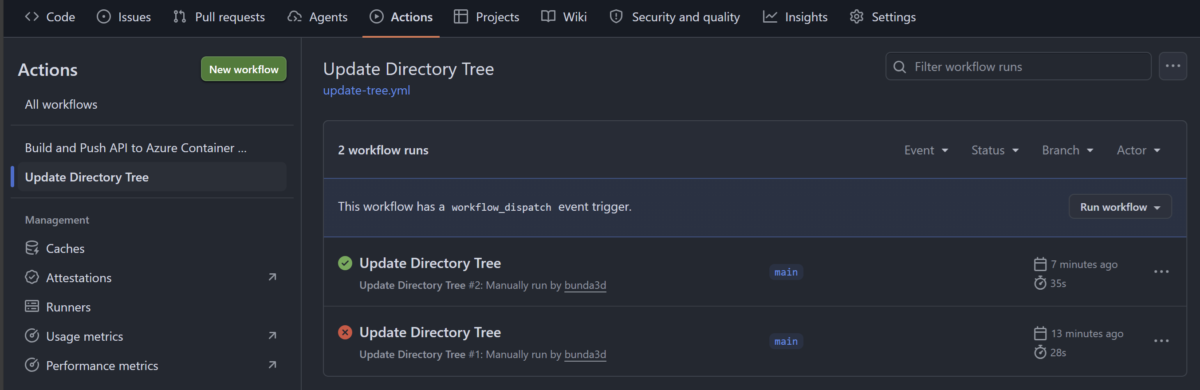
First: I needed to get this workflow running successfully (initial job run was a ‘teachable moment’).

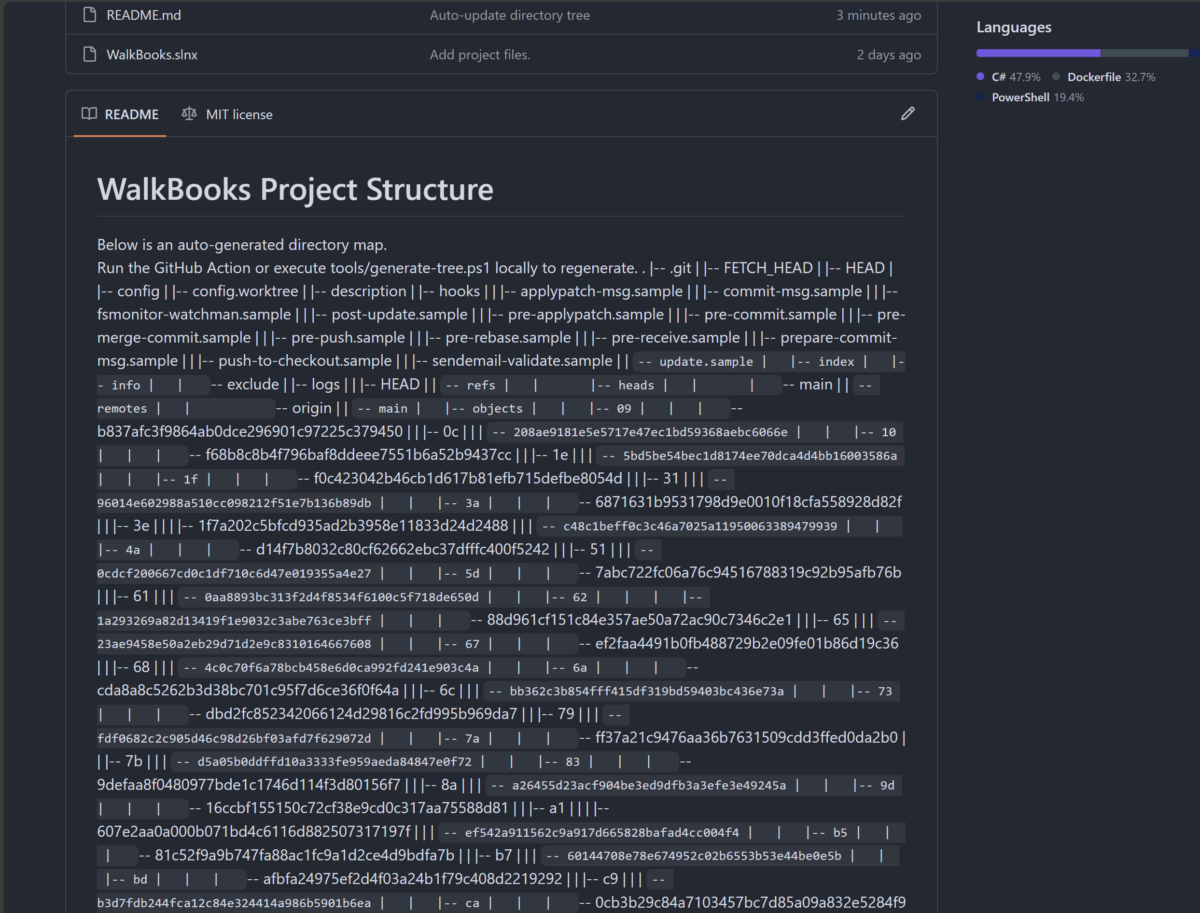
When I got the workflow running, I checked the README to see how the dir tree looked. …Not good.

Resilience
The saga of figuring out how to make the README look nice for both happy and sad paths is in this colored section. It’s important to me that whether this workflow works or not, it doesn’t leave the repo README ‘messy’. Skip if that sounds boring.
OK. Back to the drawing board on the PowerShell script. I developed and ran it locally, checking (then resetting) the README.md file to review progress.
Note: I think the ability to run the tree gen process locally is simplified when I can call a script file via CLI. That is why I didn’t try to put all this functionality into the YAML file, even if 1 file sounds more maintainable than 2.
Tree gen clean-up issues (success or fail)
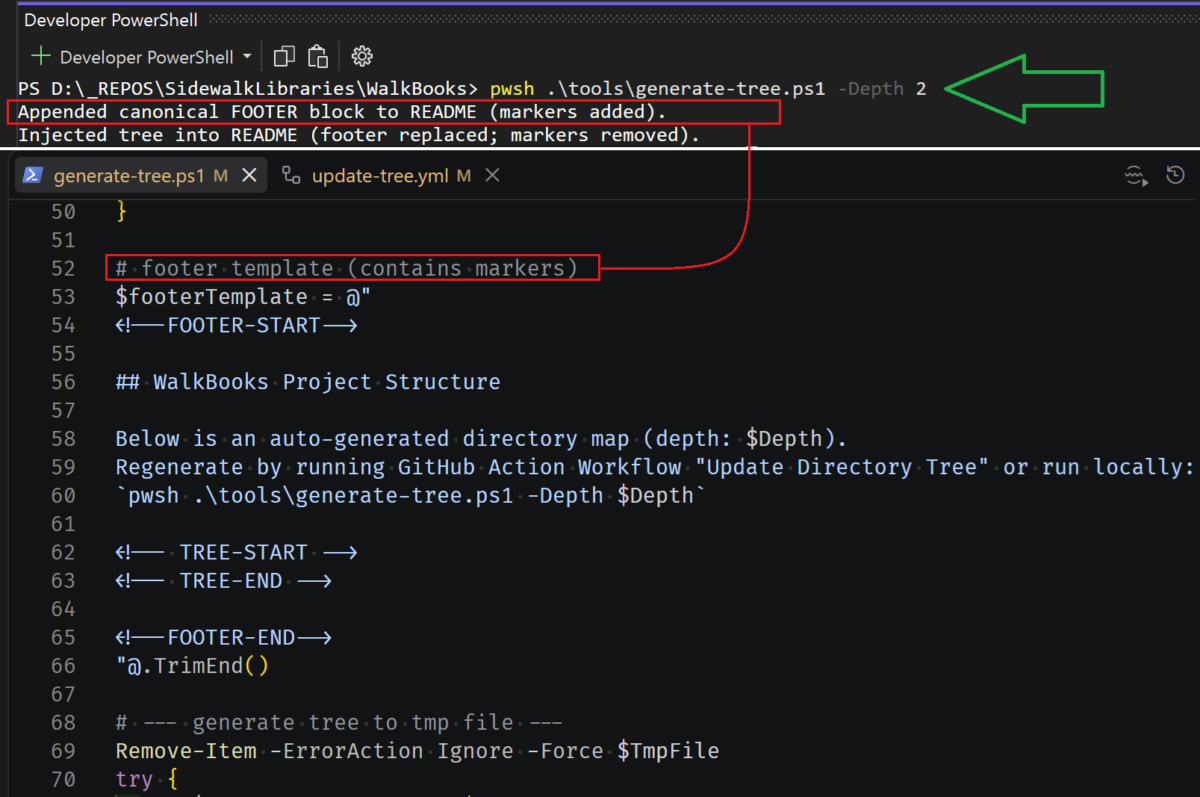
The green arrow in the below image shows the command to run the script. Parameters can be passed in. i.e.; ‘Depth 2’ means the directory tree will represent directory contents 2 levels deep.
The red lines highlight artifacts in both terminal and the shell script of a “clean-up” solution I devised. At first, both successful and failed runs of the tree gen script would leave behind unwanted README content.
Success Scenario: If the tree generation worked and inserted into the README, my script was still leaving behind placeholder tags (i.e.; <!--TREE-START-->).
Failure Scenario: If the tree gen failed, it was correctly removing those placeholder markers, but leaving the ‘about’ text falsely explaining ‘below is a dir tree’.
The solution to both success and failure scenarios was:
- Always remove both FOOTER and TREE tags when tree gen succeeds.
- Put everything inside FOOTER tags, if tree gen fails remove all content inside and including those markers.
- First task of the script: parse README for the tags. If not found, append them to the README so the rest of the script can work.
- (Solves the issue of a tree gen failure that results in removing the entire footer, which looks clean, but then tags and ‘about’ content will still be needed to run the job again).

Looking better
Eventually I got the local README looking as it should, tree gen success or no.
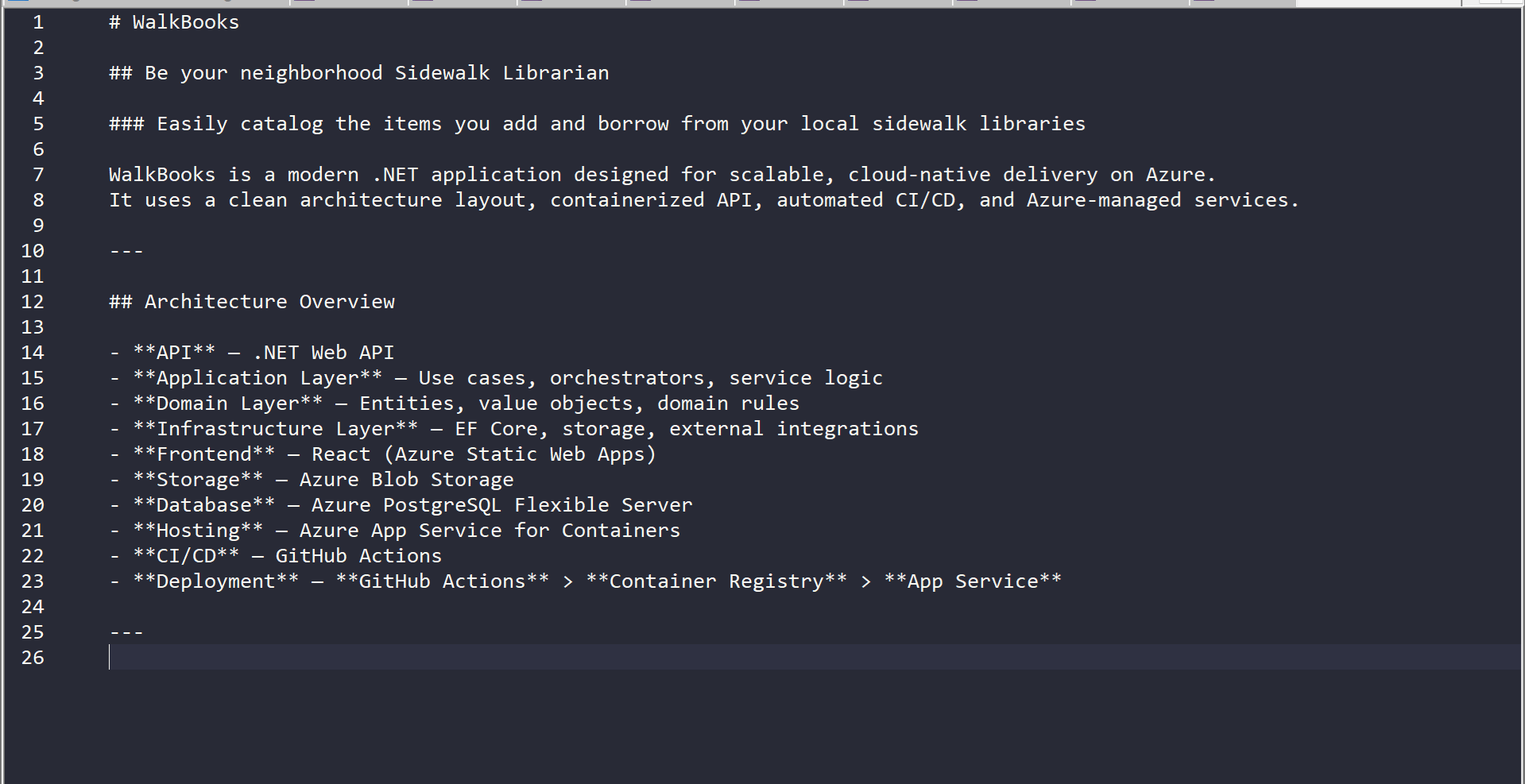
Here’s the reset README with all content deleted after the ‘Architecture Overview’ section. This is also how it would look if the ASCII tree generation failed (no longer leaving behind cryptic tags or text about a tree that doesn’t exist).

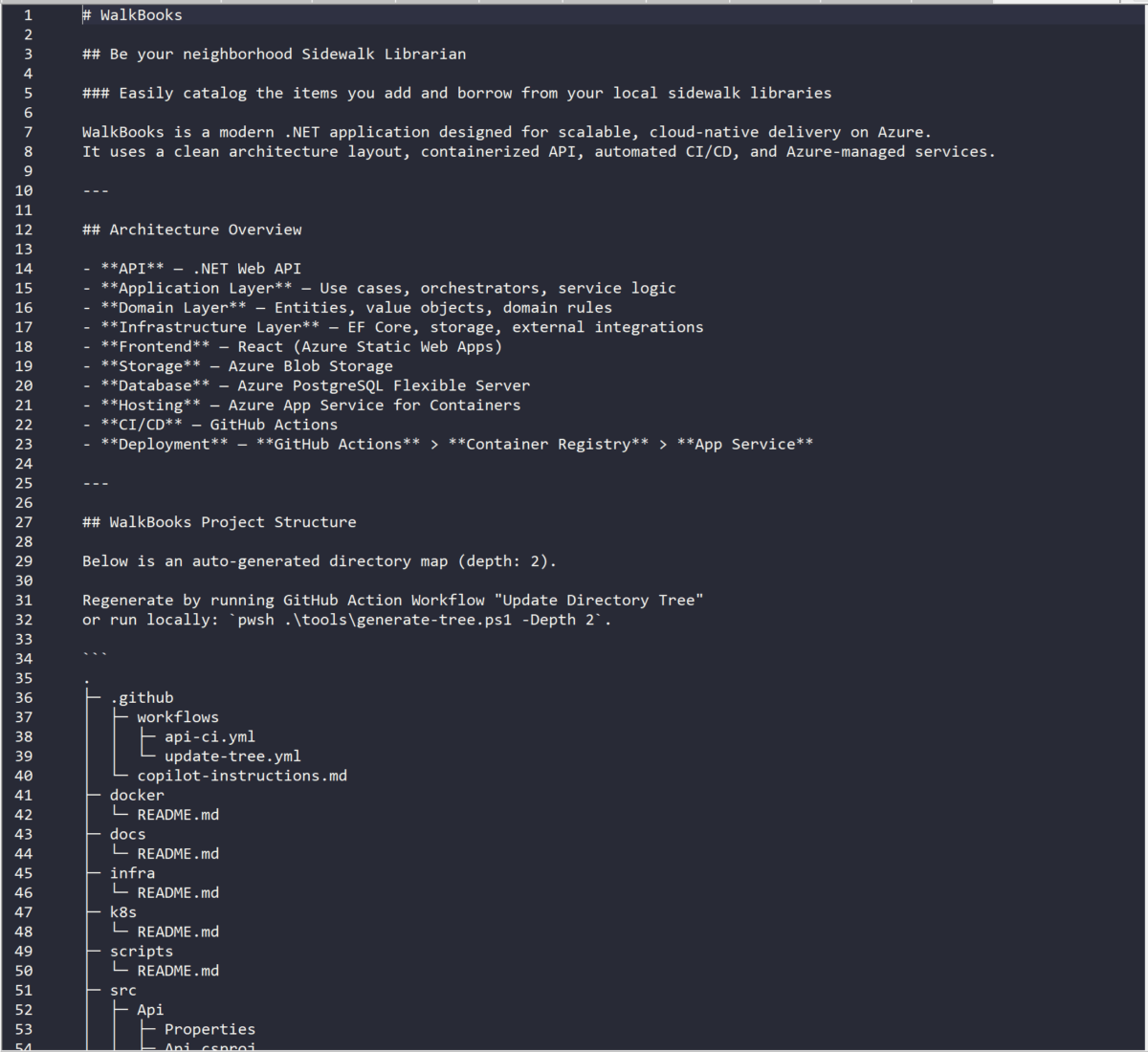
Here’s the local README with the footer section appended by the shell script. Note the footer’s ASCII directory tree is visible now. On GitHub, this will automatically update as the repo’s directory changes.

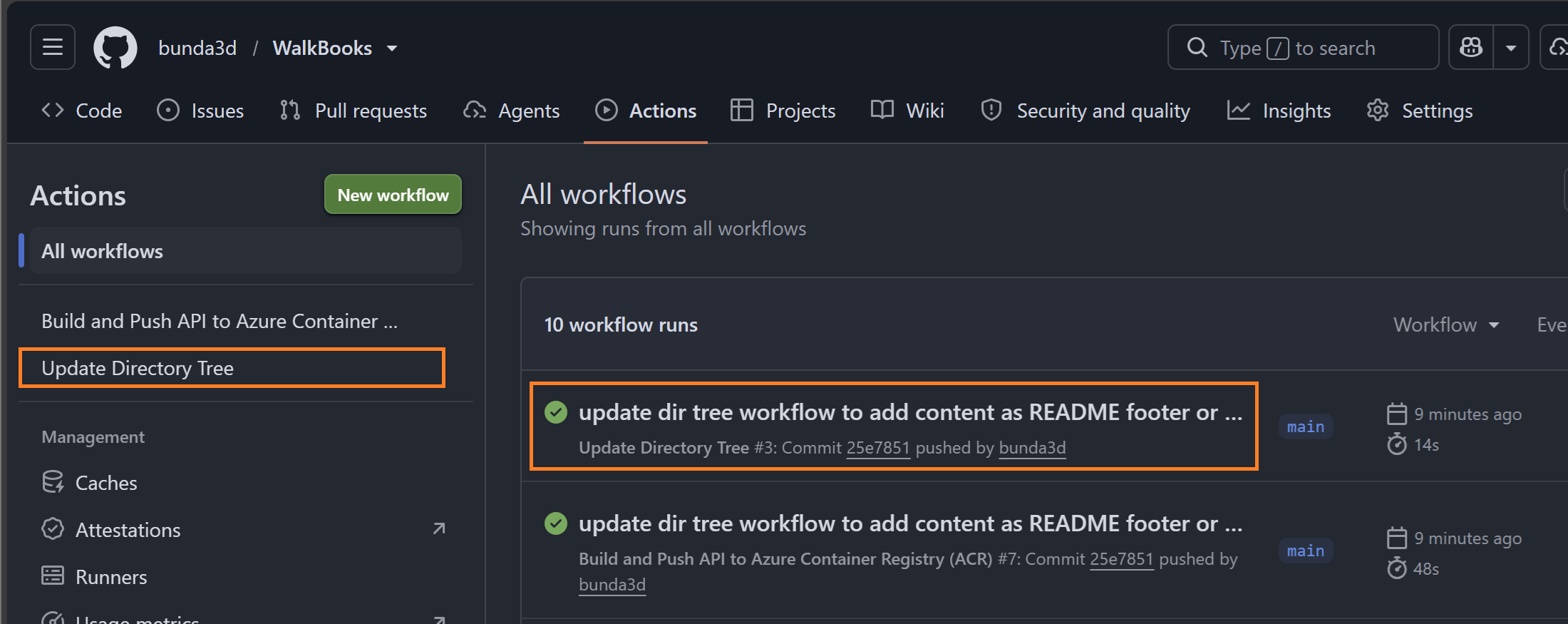
I liked the way the local README looked now. Next step: commit and push the changes, which triggers my CI/CD workflow job and then the “Update Directory Tree” job.

So, how does the GitHub README look now?

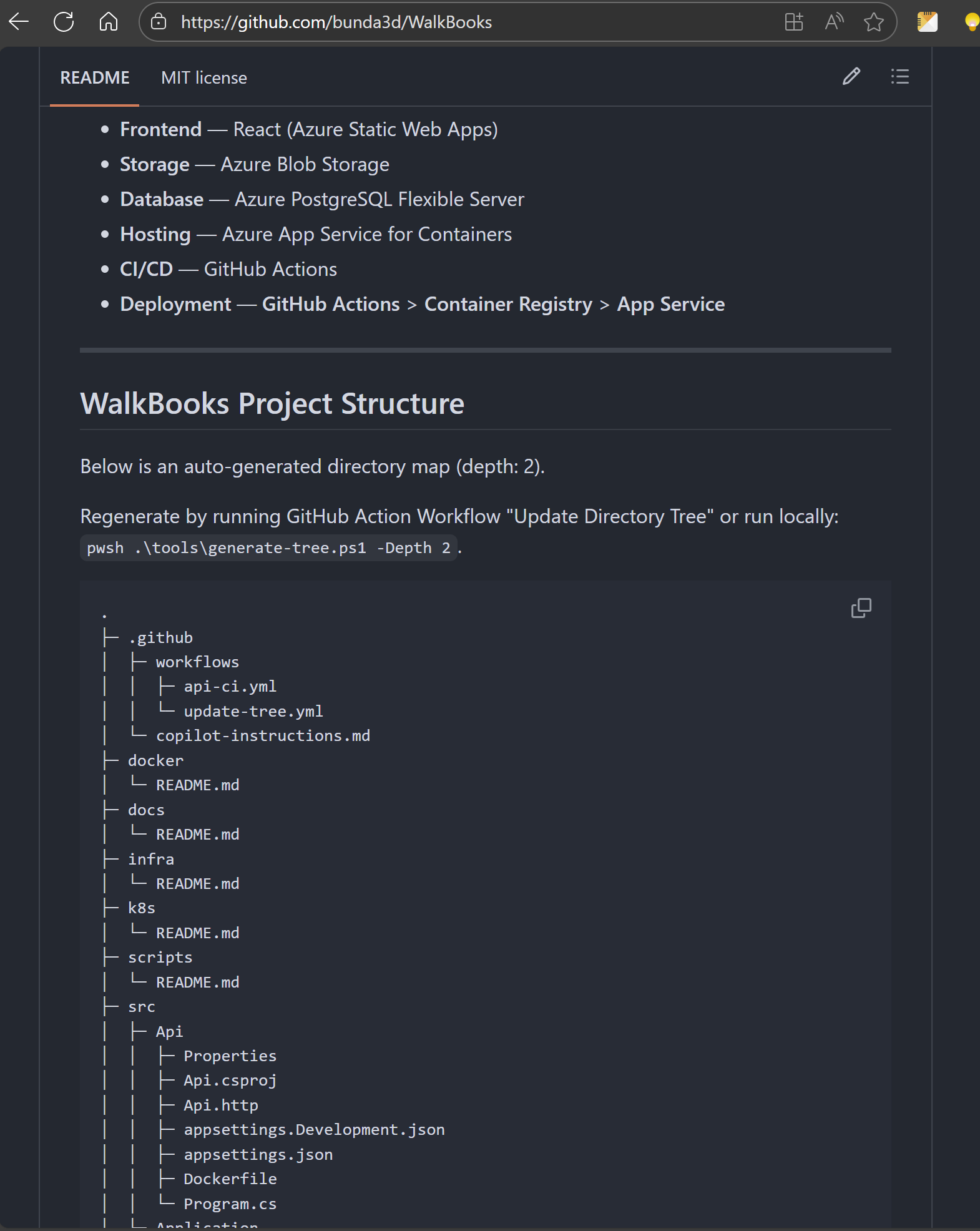
Good enough.