
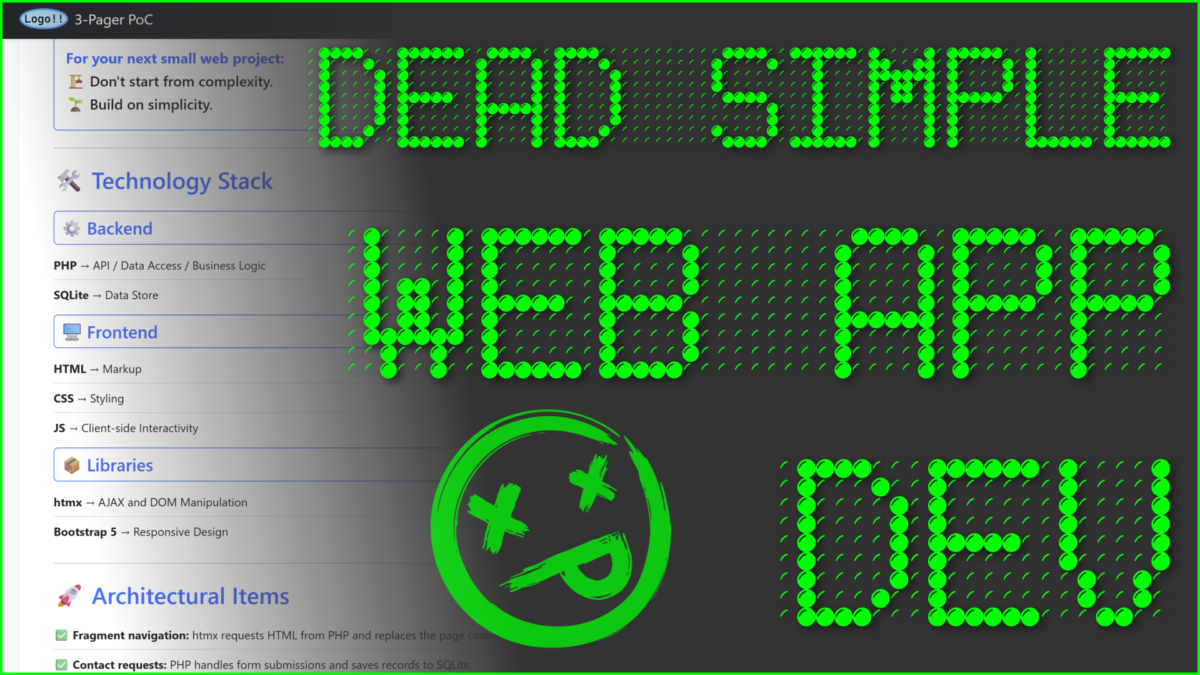
Need to make a small dynamic website but spinning up a WordPress or React app feels like overkill? Check out this lightweight web app demo. It has SPA-style navigation, forms interactivity, data persistence, and an admin dashboard—all on a minimal tech stack.
Demo site: The Minimalist Stack PoC
GitHub repo: github.com/bunda3d/htmx-3-pager
Why make this Proof of Concept?
I read an article about JavaScript library “htmx”. htmx provides short code to insert into HTML markup to perform API actions (i.e., GET data from a DB).
My initial reaction was ‘Why would anyone need this when they can just write JavaScript AJAX calls?” But the more I thought about it, the more plausible use cases surfaced from my internal devil’s advocate. I realized htmx could be the API handler and URL router of a very lightweight web app because it adds little bulk to the code base. In my opinion, htmx.js does for AJAX what Bootstrap does for CSS.
Compare line counts on equivalent htmx & JavaScript AJAX functions
<!-- SPA-style content loading: htmx version -->
<main
  id="main-content"
  class="container my-5 flex-grow-1"
  hx-get="api/backend.php?action=page&page=home"
  hx-trigger="load"
  hx-swap="innerHTML"
>
  <!-- Page fragment loads here -->
</main>
<!-- SPA-style content loading: JavaScript AJAX version -->
<main
id="main-content"
class="container my-5 flex-grow-1"
>
<!-- Page fragment loads here -->
</main>
<script>
document.addEventListener("DOMContentLoaded", function () {
fetch("api/backend.php?action=page&page=home")
.then((response) => response.text())
.then((html) => {
document.getElementById("main-content").innerHTML = html;
})
.catch((err) => {
console.error("AJAX GET failed:", err);
});
});
</script>Who needs a ‘very lightweight’ web app?
For devs or technical souls who want to make a simple website with at least one dynamic feature (i.e., a form, a database, a newsletter service), they don’t need the complexity baked into the average web app framework. It’s overkill and can cause other issues down the road, like maintainability problems.
When your small business website is too complicated to update
I created an Angular app-as-website for a small business. The business was sold and the new owners’ marketing consultants contacted me because they wanted to update the website, but no one on their dev team had Angular experience.
Some JS front-end framework staples were mystifying to them. I think they were WordPress developers; maybe had experience customizing JS and PHP, or maybe just knew the WYSIWYG editor… And that’s relatable—no dev has deep muscle memory for a multitude of app frameworks.
Maintainability Matters
The lesson is: a 3-pager doesn’t need a framework with a build step and deployment pipeline. Write a handful of files to a folder, FTP that sumbitch to a shared hosting plan, call it a day. Then you won’t have trouble finding someone who can update your site later. When it’s simple enough, using standard languages and popular libraries, you’ll find people who can ‘figure it out’ when it comes time to update and upgrade.
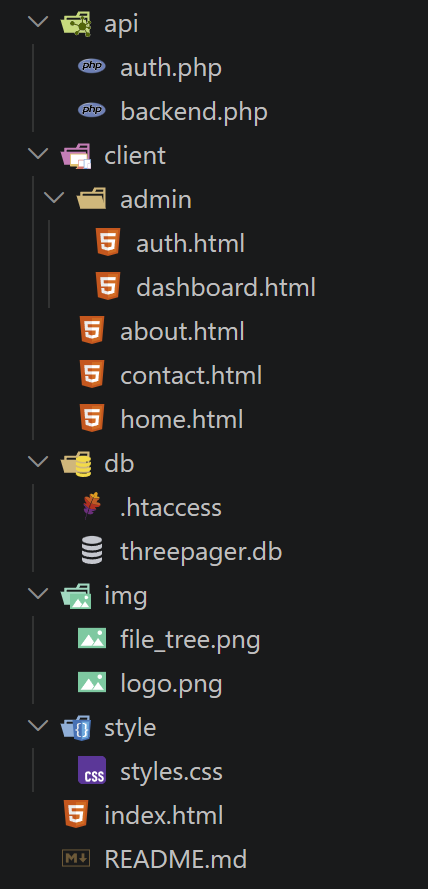
How does this architecture solve for complexity?
Unlike JavaScript frontend frameworks (Angular, React, etc.) or full-stack frameworks (ASP.NET, Ruby on Rails, etc.), this approach avoids complex build tools, extensive library imports, and heavy middleware wiring (the code that connects frontend to backend).
For this small web app workflow, the developer:
- Edits page content as HTML
- Styles responsively with Bootstrap (or another CSS framework library)
- Handles server requests with PHP
- Uses htmx to handle API responses
- Writes SQL queries to access or persist data
This stack of popular, basic, and simplicity-minded languages and libraries produces a responsive SPA-style user experience (UX) from a minimal, maintainable architecture.
Dependable
There’s no build pipeline. No need for special hosting servers. No separate apps for frontend and backend. Just get a shared hosting plan and FTP one small folder to the server.
The app will run because it uses the same server language as most websites in the world—PHP. And the database will work because most hosts’ PHP config supports SQLite. When things are simple and ‘just work,’ they’re considered low maintenance. People like low maintenance.
Responsive Design
CSS frameworks make it easy now to accommodate multiple device types and screen sizes. When I still see an app or site that isn’t responsive—i.e., the UI explodes and becomes unusable on a different screen size—I think “that’s a choice.” Perhaps the company’s products have too much tech debt and too few devs to update the UI—but those conditions are borne of choices as well.
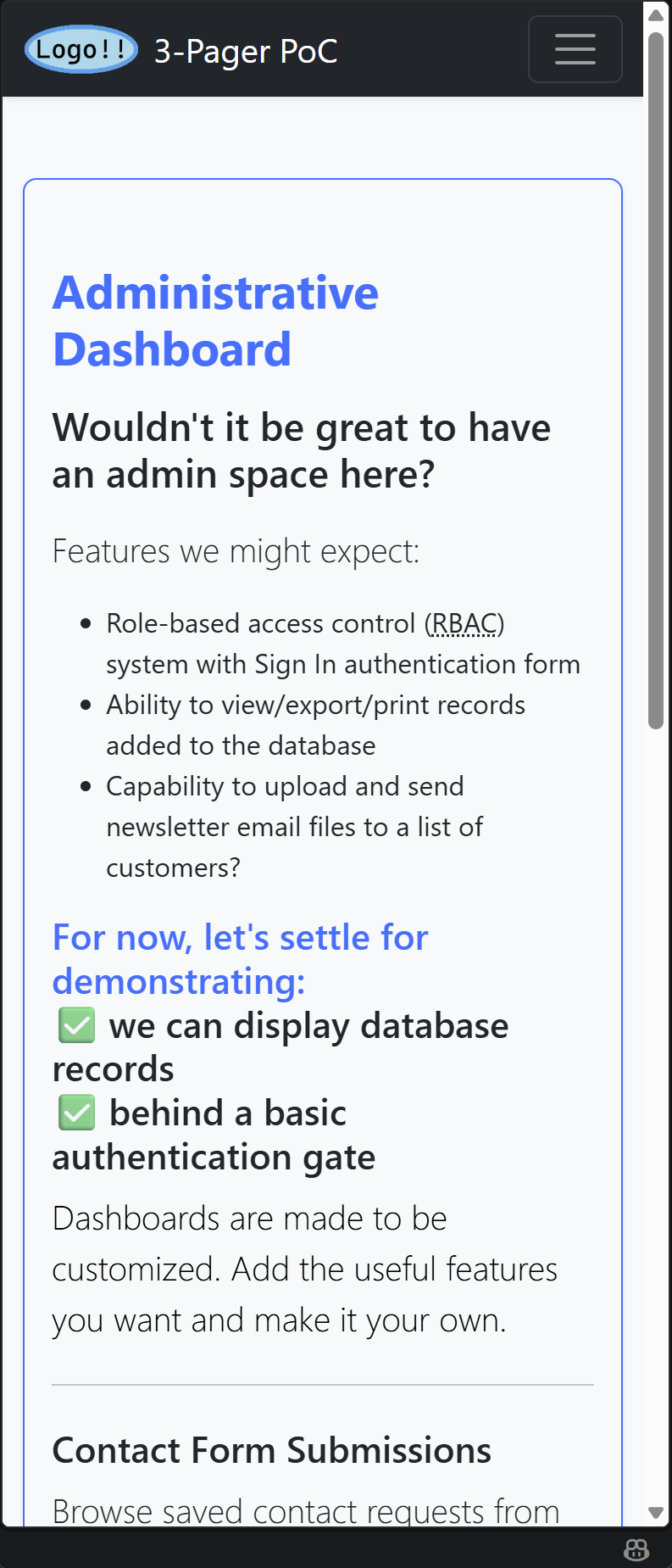
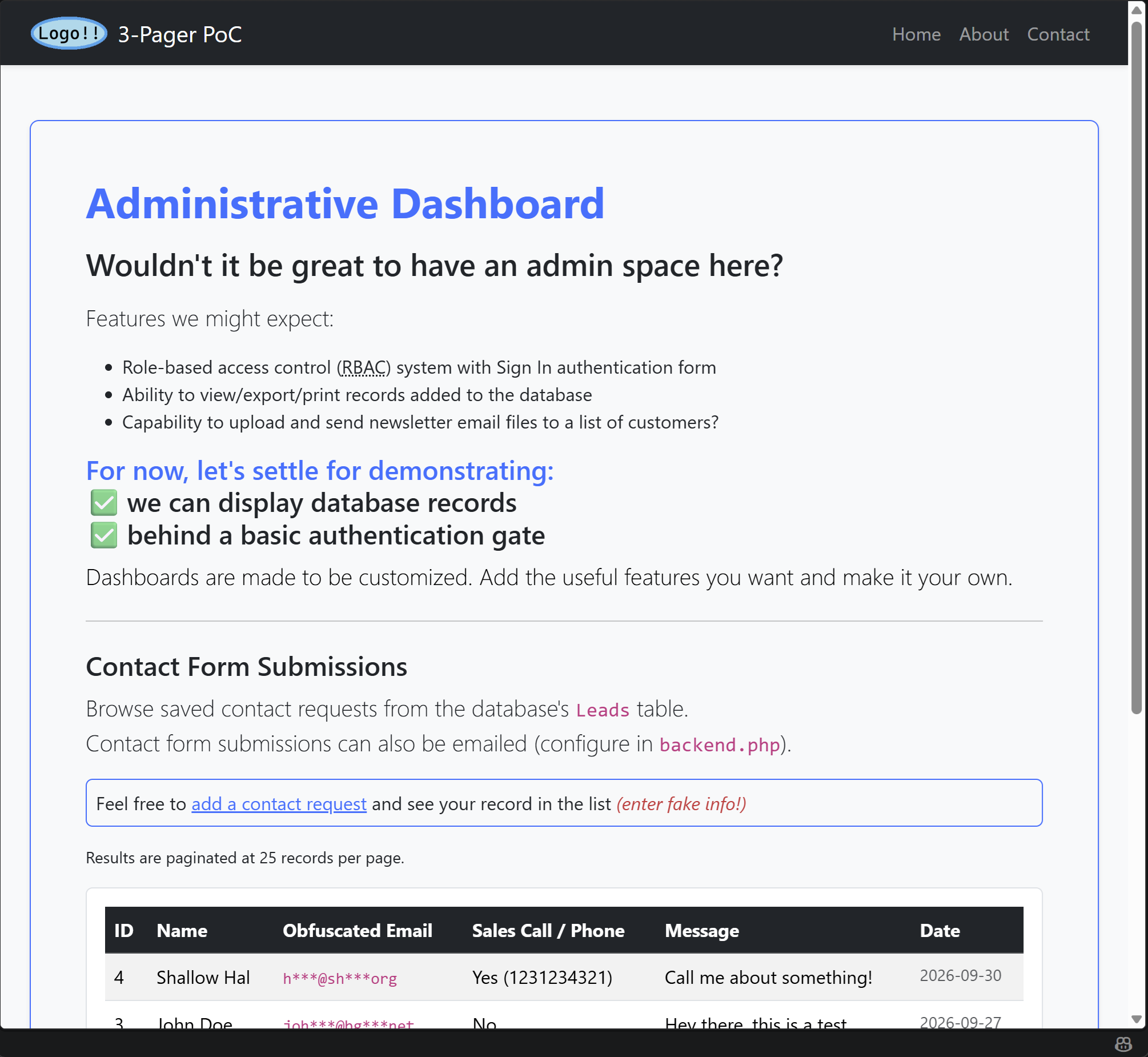
Anyway, if you’re unclear on the concept of responsive UI behavior here’s a demonstration using the ‘Admin Dashboard’ page from the demo app. First shown collapsed in the phone or small viewport mode. Then shown expanded to large viewport mode (like for a tablet or monitor device).
How do I re-purpose this demo app for my next small web project?
Demo site: The Minimalist Stack PoC
GitHub repo: github.com/bunda3d/htmx-3-pager
Clone the repo to your machine and update the content.
git clone "https://github.com/bunda3d/htmx-3-pager.git" my-project-folder-nameThere are 2 ‘Most Important Files’ to be acquainted with
Let’s look at the files that do most of the heavy lifting and discuss at least one process they execute together in order to gain insight on how the app works and effectively make changes.
backend.php
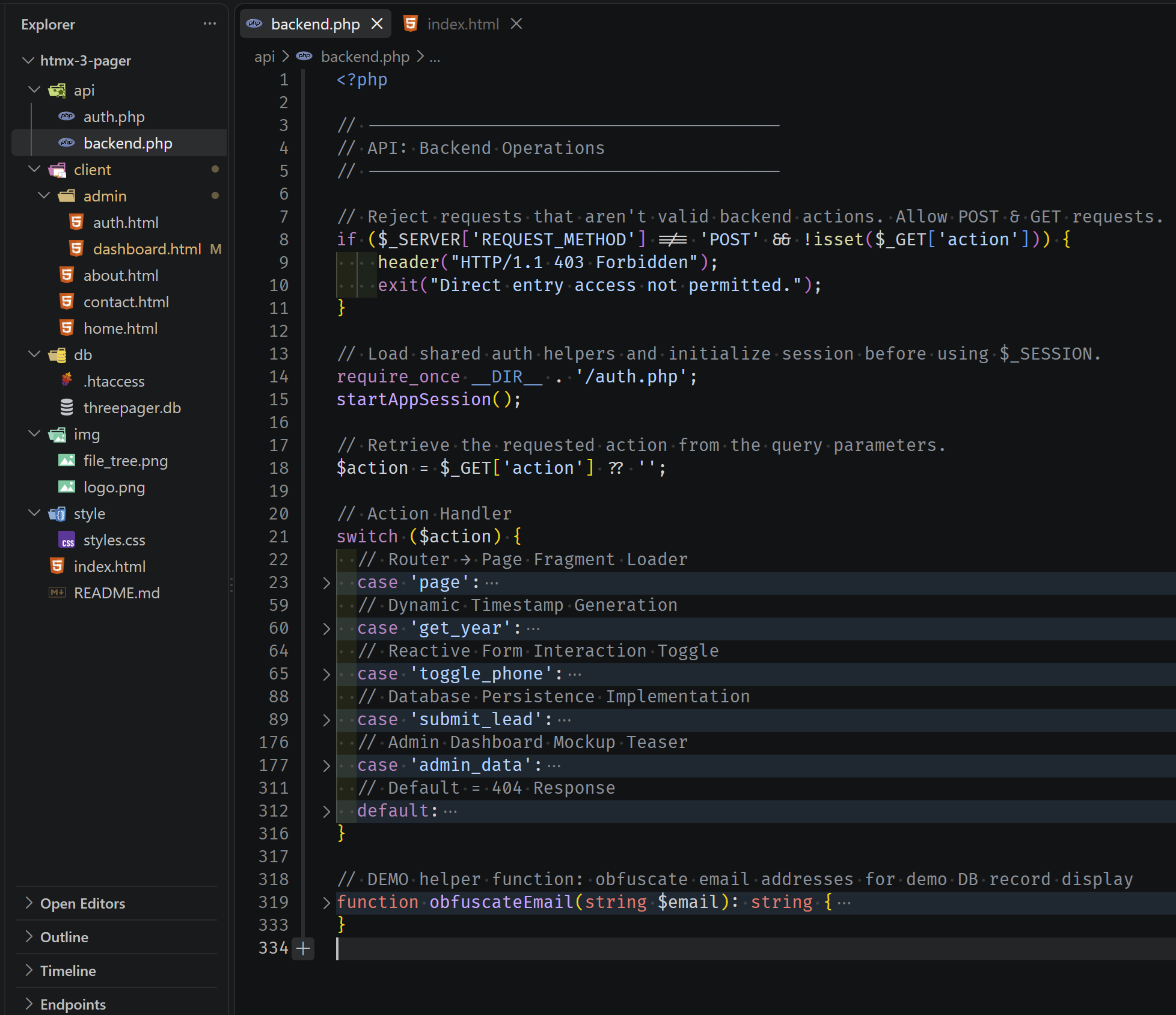
This PHP file acts as an API, receiving client requests and returning responses. You can see the “Action Handler” switch function which accepts a request ($action parameter) and has case statements to process each type of $action.
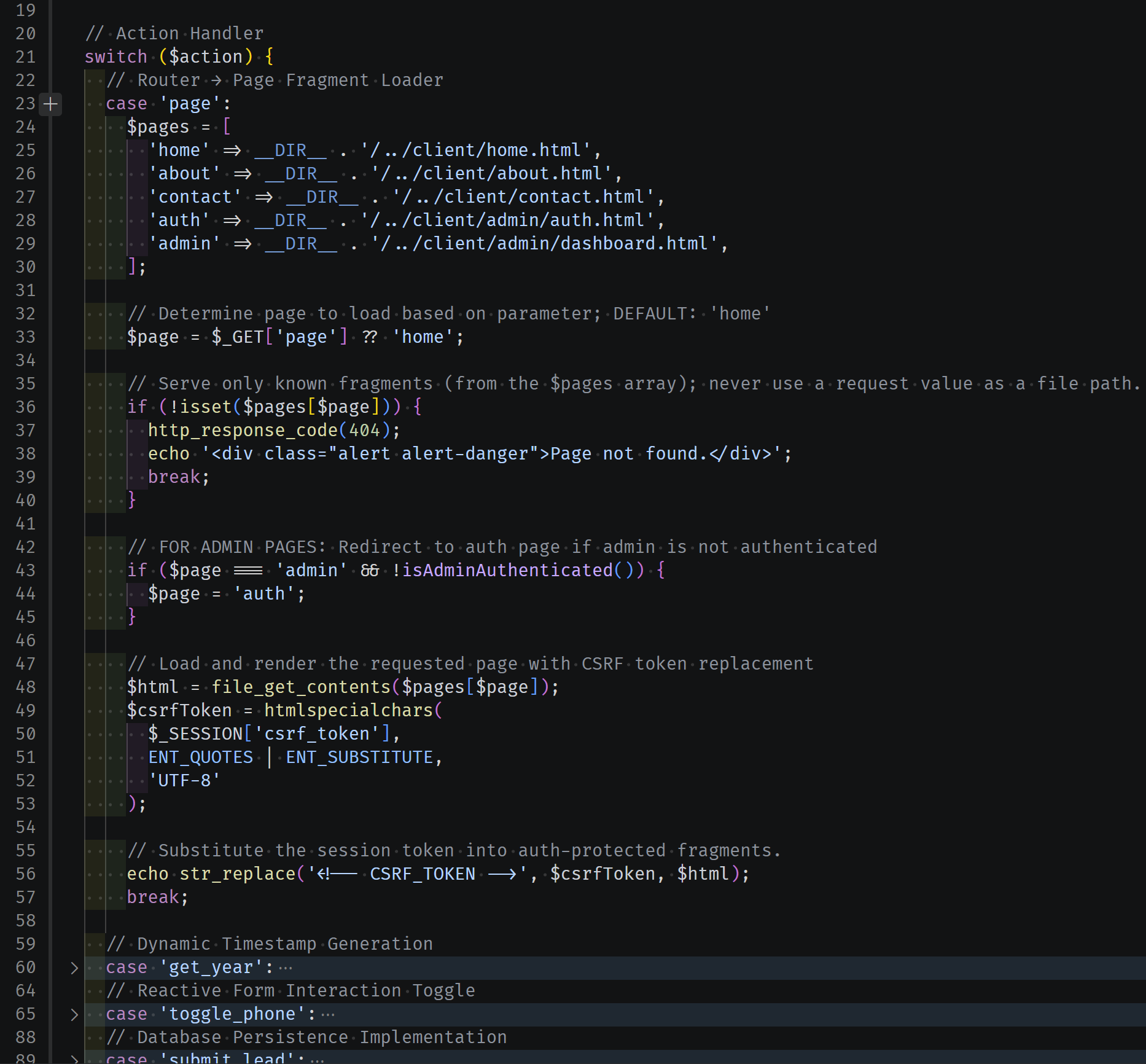
The first case is selected when requested $action type is ‘page’. The case should return HTML content (a page fragment) to the calling HTML element. The element can replace its content with this response, which is how we implement the Single Page App scheme.
For example, using htmx.js library’s hx-get function, this <div> sends a GET request to backend.php with the action value ‘page’ and the page value ‘contact’. This is interpreted as: the contents of file contact.html are to be returned to the div. Upon receipt, the div will replace its inner content with the response per the hx-swap instruction.
<div
  hx-get="api/backend.php?action=page&page=contact"
  hx-swap="innerHTML"
>
  <!-- this is where content gets swapped in (loaded) -->
</div>SPA Routing
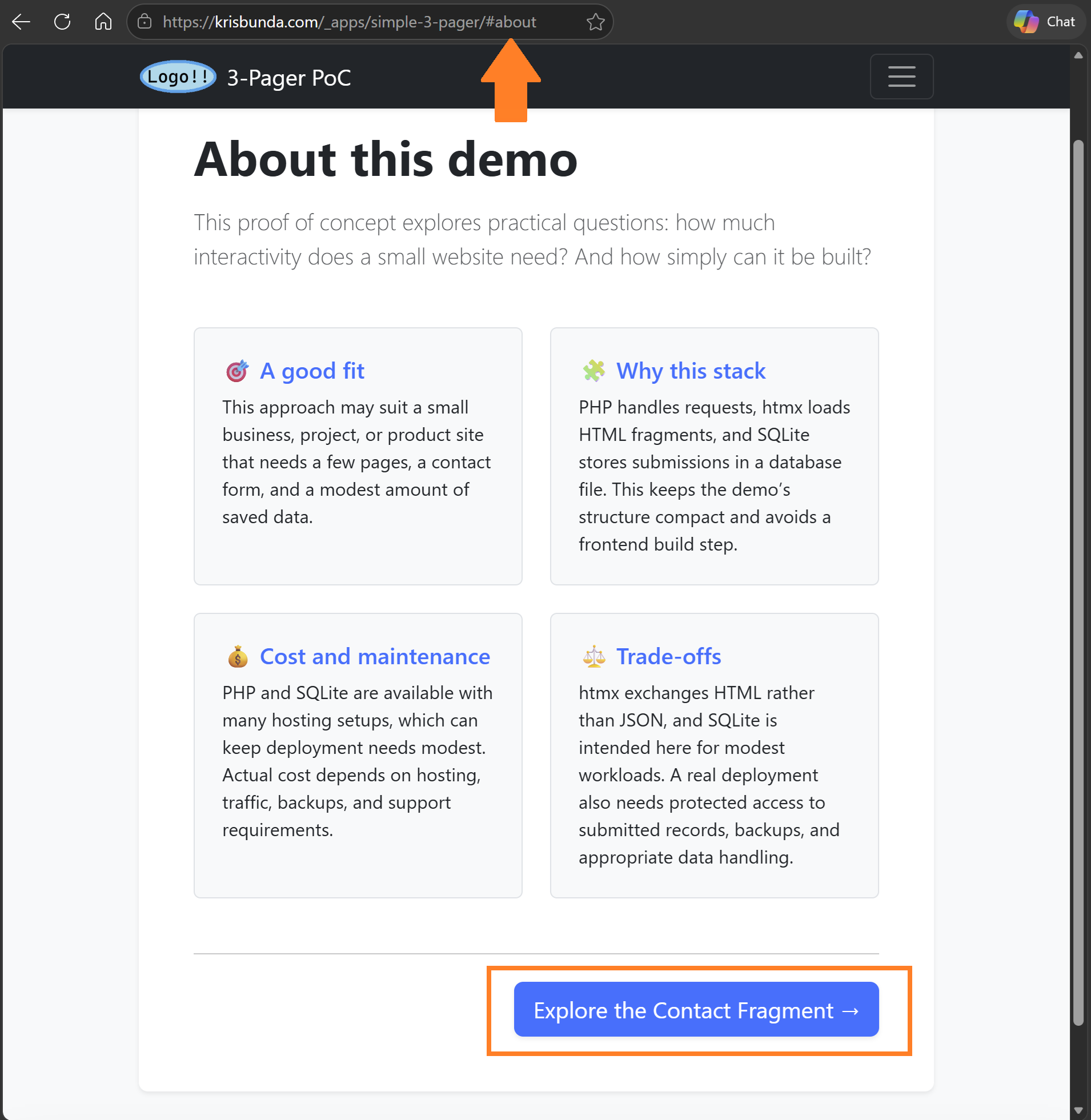
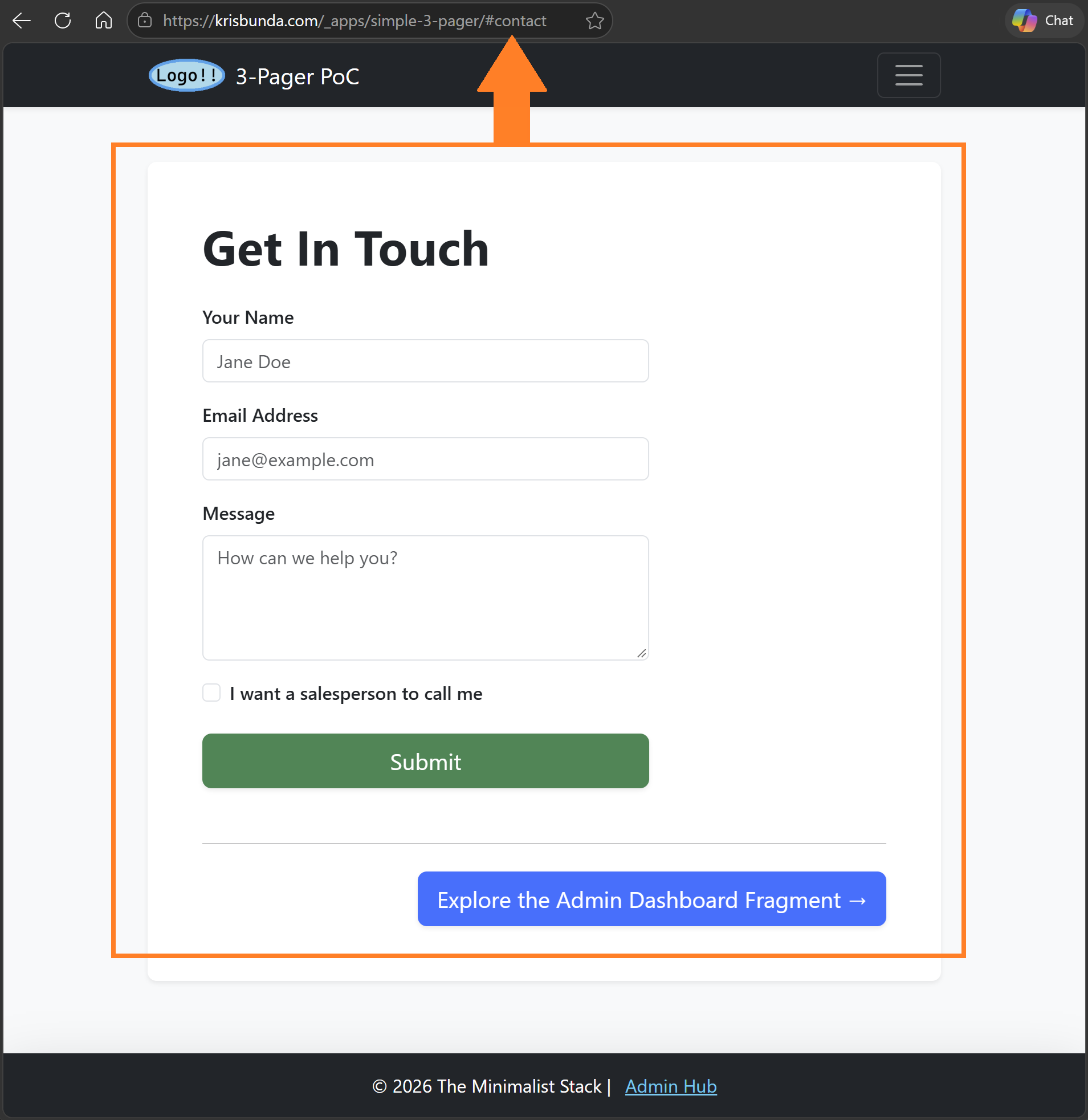
The demo site works similar to the example above, but it also has routing functionality. See the screenshots below: in the first image, the about.html page fragment is loaded to the <main> element and ‘/#about‘ is displayed in the URL bar (that’s the routing part). When the ‘Explore the Contact Fragment‘ button is clicked, content from contact.html file loads into the <main> element and the URL bar updates to display ‘/#contact‘. Because of routing, pages can be navigable, shared, bookmarked, SEO-friendly, while preserving the speed of the SPA experience.
index.html
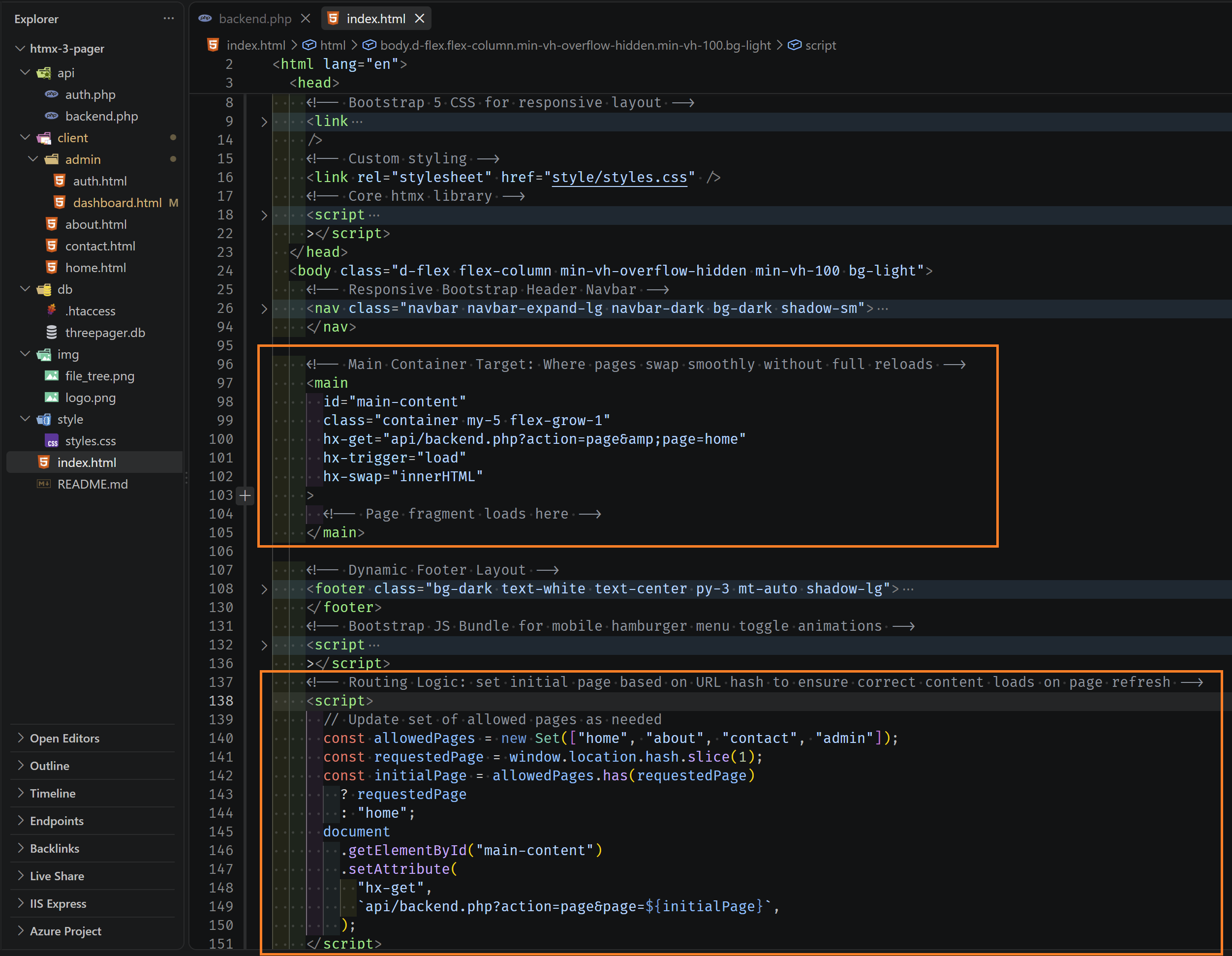
The other “Most Important Files” is index.html. This is the main template of the SPA-type app. It’s the page with the Bootstrap <nav> bar component up top and <footer> element at bottom. In between is the <main> element, where the other HTML fragments load. Also note the JavaScript that sends ‘page’ requests to backend.php in order to handle page loading and routing functionality.
Comment with questions & suggestions
I threw this project together after reading an article on the htmx.js library and became intrigued with its possibilities to simplify web app development for “small” projects. It got me thinking of ways to reduce complexity, increase maintainability, and be accessible to more hobbyists, technical-minded business owners, and differently-skilled devs.
I didn’t do an exhaustive explanation of the demo site’s features, nor on how to update the code to make it suit your use cases. But there’s more info on the live demo and repo README.
If you want to use this repo as the basis for your next small web project, but you’re confused on how to do something, comment on this blog or contact me via email. And if you do appropriate this repo for a project or practice, show it off in a comment!
Demo site: The Minimalist Stack PoC
GitHub repo: github.com/bunda3d/htmx-3-pager