


I didn’t realize this was such a hot-topic until after the Christmas season. Several family members bought new flat screen TVs and were wondering the best way to get that “clean look” of a wall-mounted screen with no visible cables.
Since most of us with new flat screens don’t also have newly constructed houses to match, let’s talk about how to run the television’s power, HDMI, RCA, and any other cables through the wall.
These are the tools to get ahead of time:
- Wire Fish Tape (or: Fish Tape, Wire Snake, Wall Snake, whatever the kids are calling it these days).
- Two (2) Screwdrivers (a Phillips and a standard)
- Drywall Hand Saw
- Sharpie Marker
- Electrical Tape
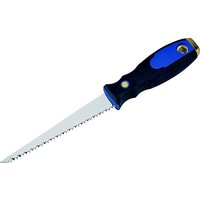
 Drywall Hand Saw
 Wire Fish Tape ex.1
 Wire Fish Tape ex.2
Now let’s talk about the hardware you’ll need:
- Two (2) Wall Plates
- Two (2) Existing Construction Gang Boxes
- Cables [in my case: two 15 ft. HDMI (1 for DirecTV, one for HTPC), one RCA cable (goes from TV to surround sound receiver), one TV power cable (of course, this comes with the TV)]
Wondering where to buy this stuff? I recommend mycablemart.com. And no, they’re not paying me to write this. I found the company through a Google search the week before Christmas, and bought a wall mount bracket, face plates, gang boxes, and 2 HDMI cables at a very competitive price. I made this purchase late afternoon 2 days before Dec. 24th, and by the time I got home from the office the next day, the package was waiting for me in my garage. That’s fast shipping during the hectic Holidays. If you have a better place to shop for this stuff, by all means, leave a comment about it.
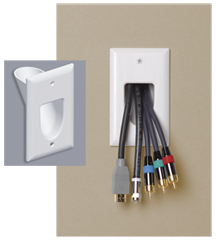
 Pass Through Wall Plate
 Existing Construction Wall Box (front view)
 Single Gang Existing Construction Wall Box
So why did I buy the “Pass Through” face plate? Because it seems like A/V equipment is always changing the inputs/outputs as the years fly by. I didn’t want to pigeon hole myself into a limited set of i/o ports. With the pass through plate, I have the option of running different cables through the wall as needed (although I don’t plan on doing this often, as it’s a pain).
That said, if you want something a little more customized and even more “finished” looking, check out these wall plates:

 Audio Wall Plate
 Keystone Type Wall Plate
Installation:
- Get out the Sharpie, put the Single Gang Wall Box up to the wall, and trace the inside of it with your marker to get the general size of the rectangular hole you’re going to cut into your wall.
- Do this twice–one down by the baseboard, and one up by the TV’s wall mount bracket. Make sure these holes are directly in-line with each other, in the same stud bay. Otherwise it will be difficult or impossible to run the cables.
- Take your drywall hand saw and cut the rectangular holes out. Just wiggle the saw in, no need to go any deeper than the drywall (say about 1/2 inch). After you cut the rectangular shape, see if the wall gang box fits. It probably won’t, so do some fine tuning and shave away areas that need it.
- Fit the wall gang boxes in the holes. You don’t need to tighten them down yet.
- Feed the wire fish/snake wire through the top hole, down through the wall, and fish it out through the bottom hole. This may be easier said than done, and it’s good to have a helper. In my experience, the “wire fish” tool is necessary… we tried a wire clothes-hanger, and it wouldn’t work.
- Now that you’ve got your fish wire hanging out the bottom hole, take your cables and tape them to the fish wire in a manner that makes them “aerodynamic” and not bulky. Remember, you’re pulling all these wires through a wall with insulation, other wiring, or whatever is inside. You need your cable bundle to be as sleek as possible to avoid getting caught on other stuff as you pull it up.
- Now have your helper push the cables up from the bottom as you pull up your fish wire from the top.
- Once you get the wires ran, make sure you really have all of them. I finished up the entire job before I realized I forgot the TV’s power cord!
- Get your screwdrivers and turn the screws in the gang box so that the little “arms” squeeze tight against the back of the drywall.
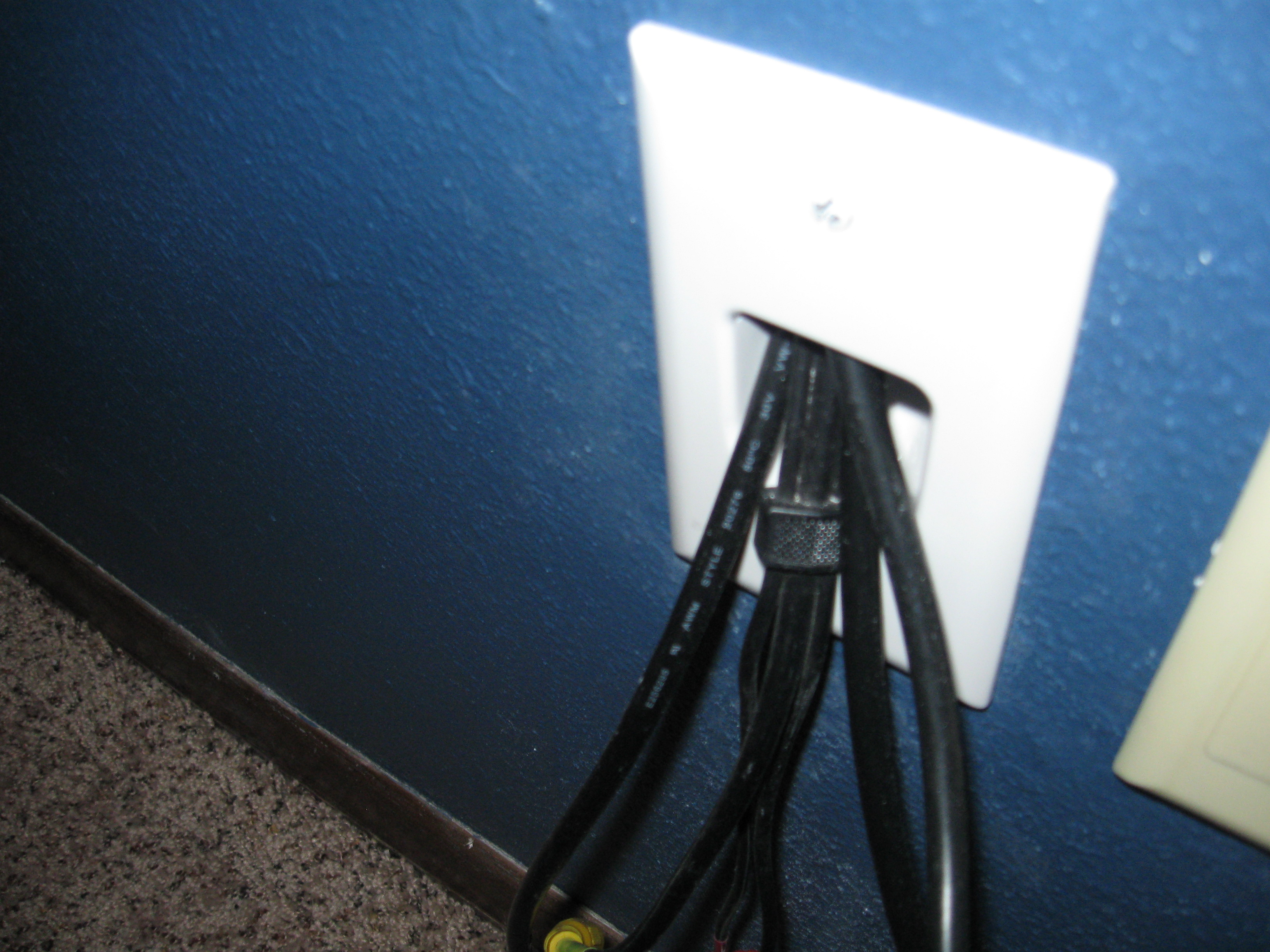
- Thread the cables through the openings in the pass through face plates (or plug them into a customized face plate if that’s what you bought).
- Turn the screws on the face plates to attach them to the gang boxes.

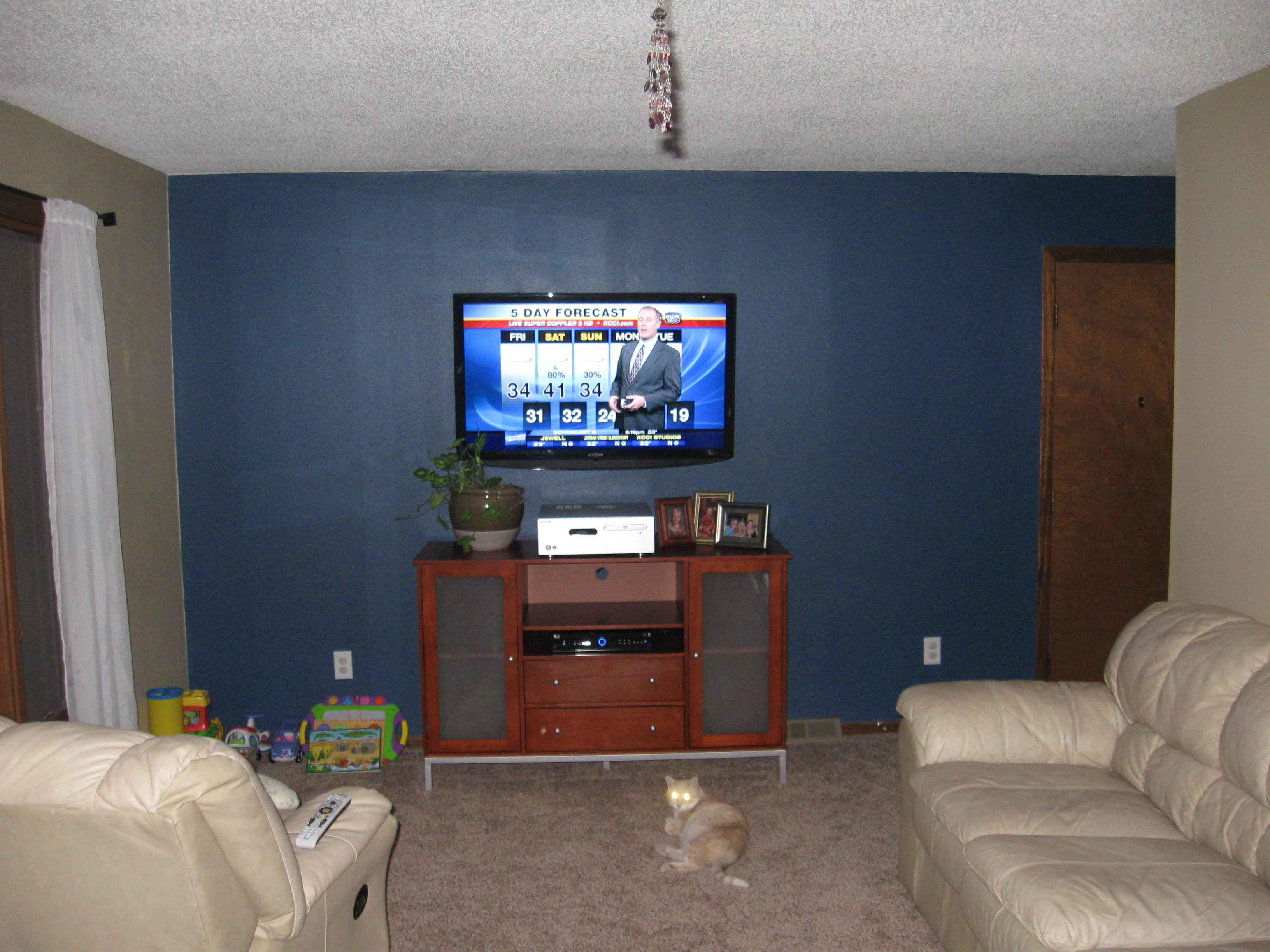
That should be everything! Now hang your flat screen back on the bracket, plug your cables in, and enjoy that “clean” look.







Jackson Davison
Great install, but against code to run power cable inside a wall. You need a romex solution for in-wall power.
admin
Thanks for the info. I had no idea that was a code violation. Feel free to post link(s) to good info on running the power cable the proper way.
Thanks again
Josh Stir
Right, you run the power cord through the wall and you are asking for A) A fire or B) not being able to sell your home when the inspector takes a look at it. What you can do is use a PowerBridge (http://www.powerbridgesolution.com/aboutpowerbridge.html) works, pretty well.
Mike
Check out http://www.infinitecables.com for just about everything you could use…I just bought (3) 10-foot HDMI cables, (6) 3-foot HDMIs, and (2) 3-port HDMI wall plates for $111 including shipping. Good write-up.
Joe Lite
You could try these guys as well http://www.access8.com
Joe Lite
or these guys http://www.lextec.com
Madelyn Cox
good quality RCA cables will always use high purity copper*`,
Amp Accessories &mid
RCA cables should also provide a good shield wire in order to avoid external noise ::
Problem Solver
If it is a code issue and you sell your house, just pull the power cord out before the inspector comes. Problem solved!
Jrpage74
Not really solved. It is code for a reason. Do it right and stay safe. Would you sleep well knowing you sold your house only to have another family die in a fire due to a hazard that you created?
guest
If you pulled the cables out before you sold you house, again how would it be a fire hazard to the new owners? The new owners should have a home inspections.. if they died because of a existing condition it’s their fault for not fixing it before moving in.
chad eagle
do you live in a bubble?
Adam Sullivan
A power cable inside a wall has no more chance of catching fire than a power cord outside a wall. The fire code is for fixed power outlets. This would be considered a temporary addition. Really think about it, how is this power cord going to catch fire? Idiots.
Guest
Exactly. The circuit breaker would probably trip before the wire got too hot.
EricE
“The circuit breaker would probably trip before the wire got too hot” LOL – circuit breakers are not magical devices. They can’t sense the state of the entire wire. They are fail safe device for MAXIMUM CURRENT DRAW and nothing more. It’s hard to say if even an arc fault circuit breaker (sort of like a ground fault or GFCI but for shorts) would detect such a wire “going bad” reliably. And arc fault circuit breakers are a relatively recent requiement, and then only really in bedroom plug circuits so the odds of your family room outlet being protected by one, even if you you have a relatively new house, are pretty slim.
Don’t be stupid and lazy – do it right!
Frett
You started to come across as someone knowledgeable…until the comment that \”Romex is metal clad to prevent such issues\”.
Romex is NOT metal clad. Everyone knows that. In fact, it is specifically designed to NOT have metal in its sheathing.
You\’re a typical Internet troll who knows just a little and wants to make themselves feel good even though they are likely not particularly knowledgeable about anything. True experts tend to keep their mouths shut about other subjects they are not experts in.
EricE
“A power cable inside a wall has no more chance of catching fire than a power cord outside a wall” Unless someone runs a nail or screw through it.
Permanently installed cable has to be stapled centered on the stud to minimize such risk. Romex is metal clad to prevent such issues.
While there are some building codes that are stupid, this is not one of them. If anything many essential building codes don’t go far enough – but I digress. If you are going to do a wall mount properly either wire an outlet in the appropriate manner, or pay an electrician to do so!
Good luck with your homeowners insurance if, for whatever reason (even if the cable is defective via a manufacturing defect and through no fault of your own), your house catches on fire from that location. Everyone loves to think “oh, that will never happen to me” and then when the inevitable happens – the reason you have insurance in the first place – you’ve more than likely voided your policy and will end up paying for benefits you will never recieve. That doesn’t seem too smart in order to dodge a couple hundred dollar bill to get an outlet wired correctly. Then again, why should I be surprised??
ATI Cables
Check out http://www.aticables.com for all your cabling needs. Great prices and fast shipping!